We currently support adding toll-free numbers for business locations situated in India and UAE.
Here's how you can add a toll-free number to a location:
Access a location you want to update from your location manager.
Select the edit Option and scroll to the phone and address attributes.
From the drop-down, select from the options displayed for the respective countries. The example added below is for the UAE location.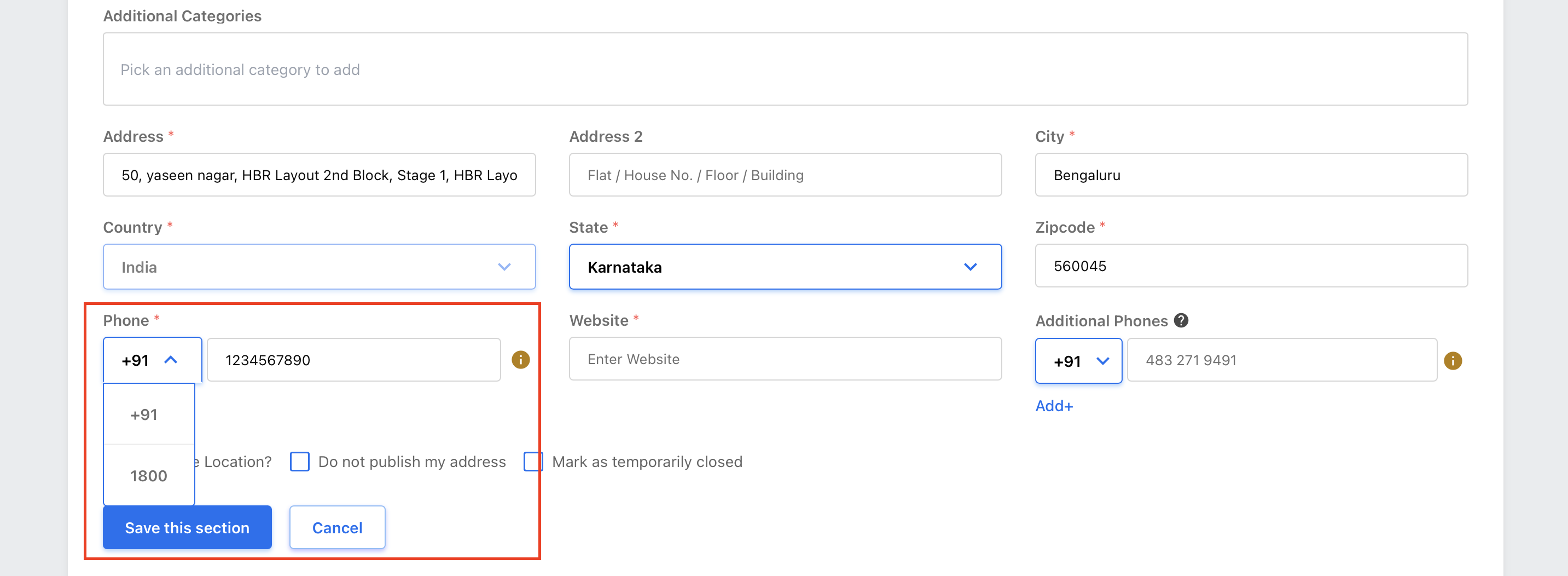
For locations within India, you can select '1800' and add the 6-7 digit number.
For locations within the UAE, you can select '200', '600', or '800' and enter 3-7 digits number.
Note: The toll-free number you enter here should not exceed 7 digits.