Customer’s can request activation of the Voice Search Optimizer right from their Dashboard. Here's how you can send you a request for Voice Search Optimization:
Click Voice Listings under the Listings.
Click Contact Us to request for the Synup Voice Search Optimizer.
Note: A notification email requesting voice enablement for this location is sent to us or your Agency on clicking the “Contact Us”.
Voice Listings Sync
The Synup Voice Search Optimizer syncs a user’s business location information from their Synup dashboard across supported voice search assistants - Google Assistant, Amazon Alexa, Apple Siri, Samsung Bixby, and Microsoft Cortana.
Connecting Business accounts on Google, Bing, Foursquare, and preferably Yelp is needed to optimize business listings on voice.
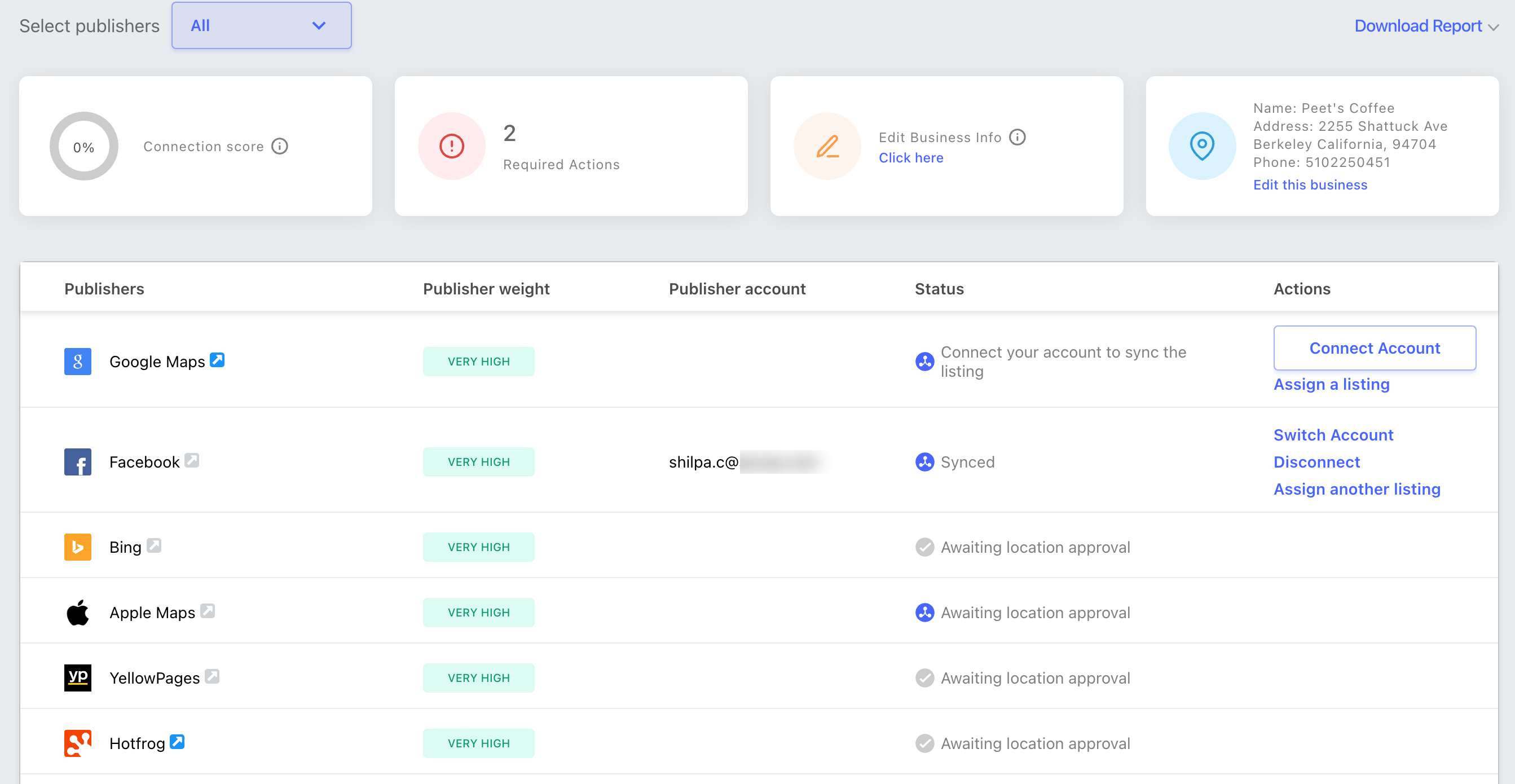
To connect business accounts:
Click Optimize and proceed to-
- Connect a GMB account to get Voice optimized on Google Assistant.
- Connect a Bing Account to get Voice optimized on Cortana.
- Connect a Apple Maps and preferably Connect a Yelp Account to get further Voice optimized on Amazon Alexa, Samsung Bixby, and Apple Siri.
Note: Connecting Business accounts here has the same flow as connecting accounts from Premium Listings.