Click Review Acquisitions from the overhead navigation bar to access all your active & older review acquisitions.
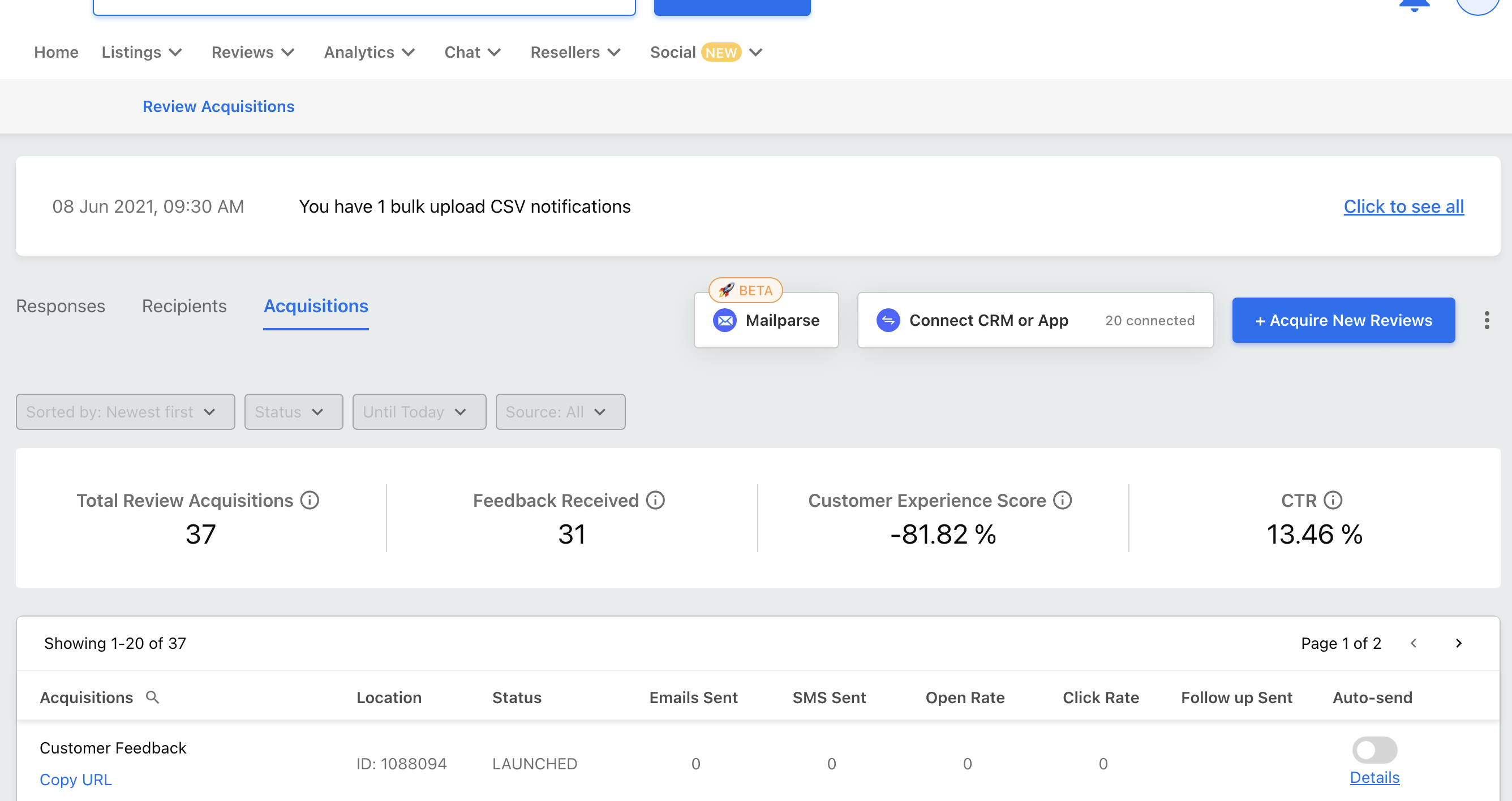
Choose an acquisition, to which you want to add more recipients.
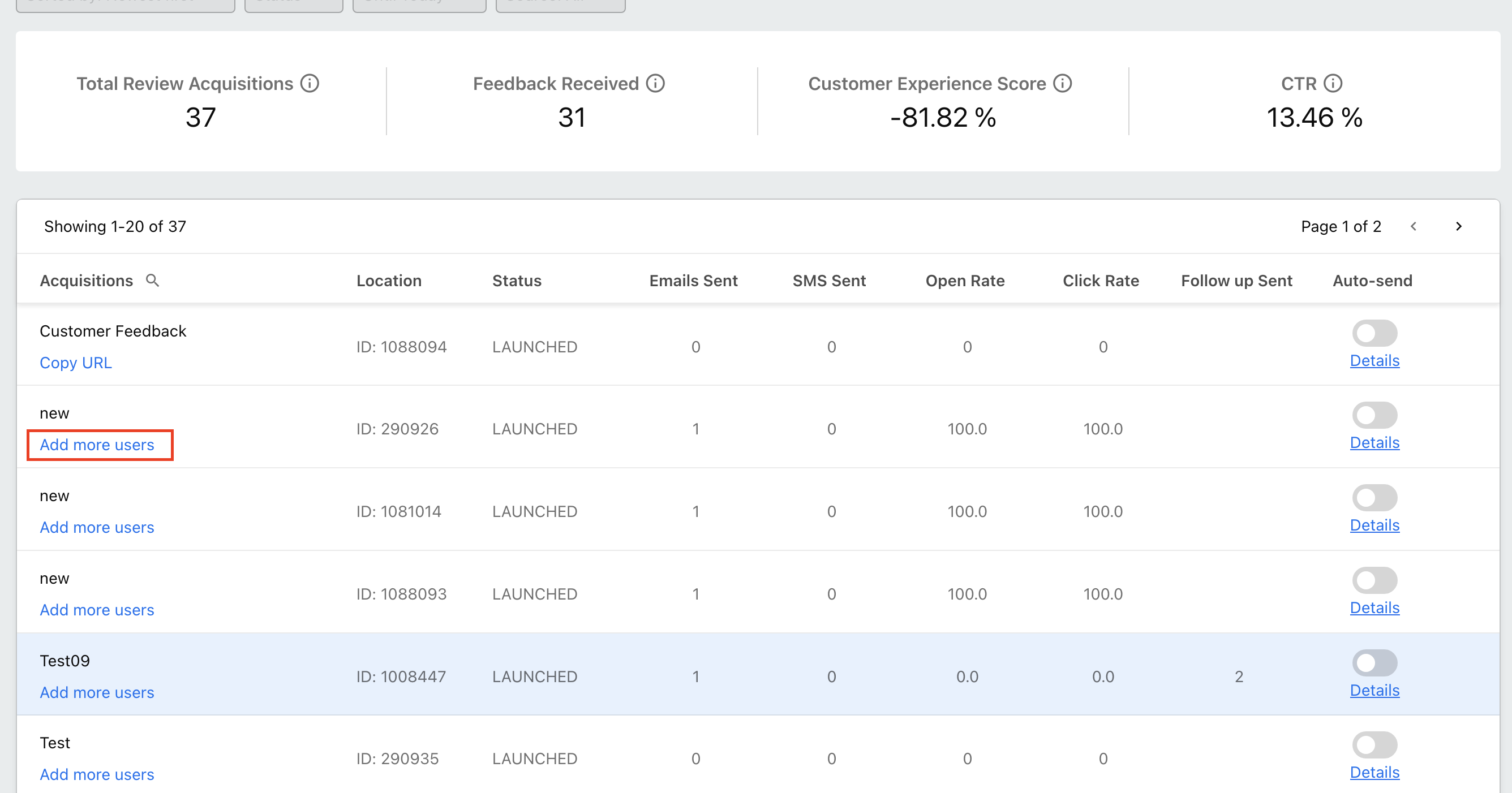
Click Add More Users displayed below the Acquisition name.
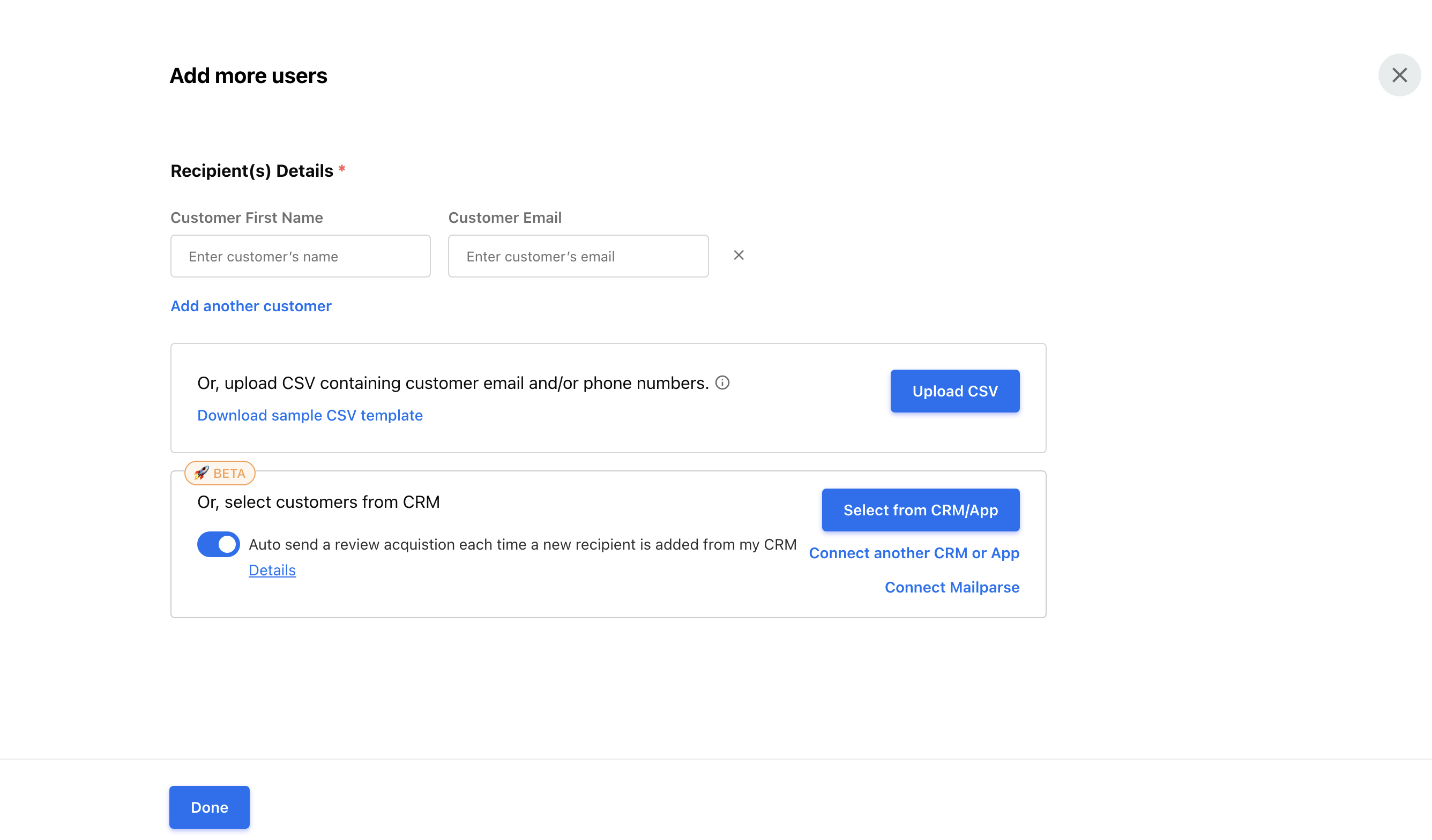
- You can choose to add customers individually or add multiple customers at once via a CSV upload.
- Enter your customer’s name and an email address or a contact number.
- Click +Add another customer to add another field.
- To add multiple customers via CSV - click on the Upload CSV option.
- Click Done, once you have added the additional users.
- Click Download sample CSV template to see the expected CSV upload format.
- Open this template using a spreadsheet program (like MS Excel or Google Spreadsheets) and fill in your customer information.
Note: You can add over 1000 recipients using CSV to your campaign.