What is Trello?
Trello is an Amazingly Simple Platform that brings together Tasks and Teammates. It has a generous free plan and lot of Agencies heavily use Trello to manage their Client Projects.
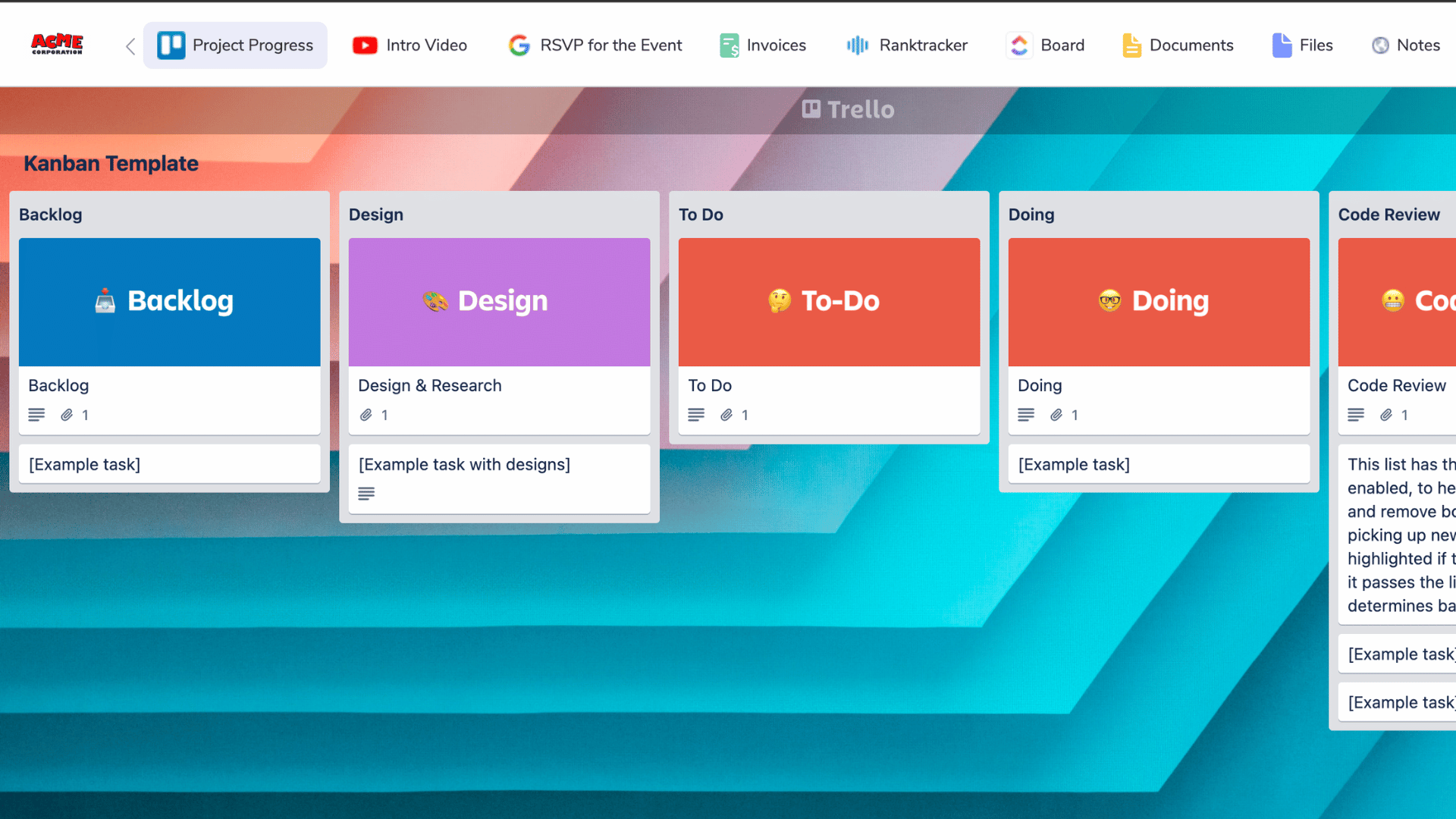
What is Client Portal in Clientjoy?
Client Portal in Clientjoy is a Custom Branded Collaborative Space between Agency Owners and their Clients. It can be used by Agency Owners to Share Files, Sign Documents, Send Invoices and Embed over 100 Applications including Figma, Airtable, Click up, Google Data Studio etc and now, Trello as well.
It is one single place for Clients to log in and get updates across all the Tools and Platforms being used by an Agency to deliver on their Projects.
How to Embed Trello Board in Client Portal
Get yourself a Clientjoy Account 🤘
Click on Client Portal in the Top Nav Bar
Choose the Client for whom you want to Embed the Trello Board
Click on 'Customise' and then on 'Add new Tab'
Click on 'I Have a Link'
You are half way there already 💃
Keep the Clientjoy Tab open and go to Trello in a new Tab
Find the Trello Board you want to Embed
Make sure it's Privacy is Shared to Public
Copy the Board Link
Replace the 'Workspace name' with .html
Paste the link in Clientjoy Client Portal
Done 🔥
and that's pretty much it. If you have any questions or concerns, just chat with us from the bottom right icon or Join our Community here.