Razorpay is the most used payment gateway which gives you access to all payment modes including credit card, debit card, net, UPI, etc
Here is how you can connect Razorpay with Clientjoy Invoices-
Navigate to Settings > Payment methods
Select Razorpay as payment gateway integration.
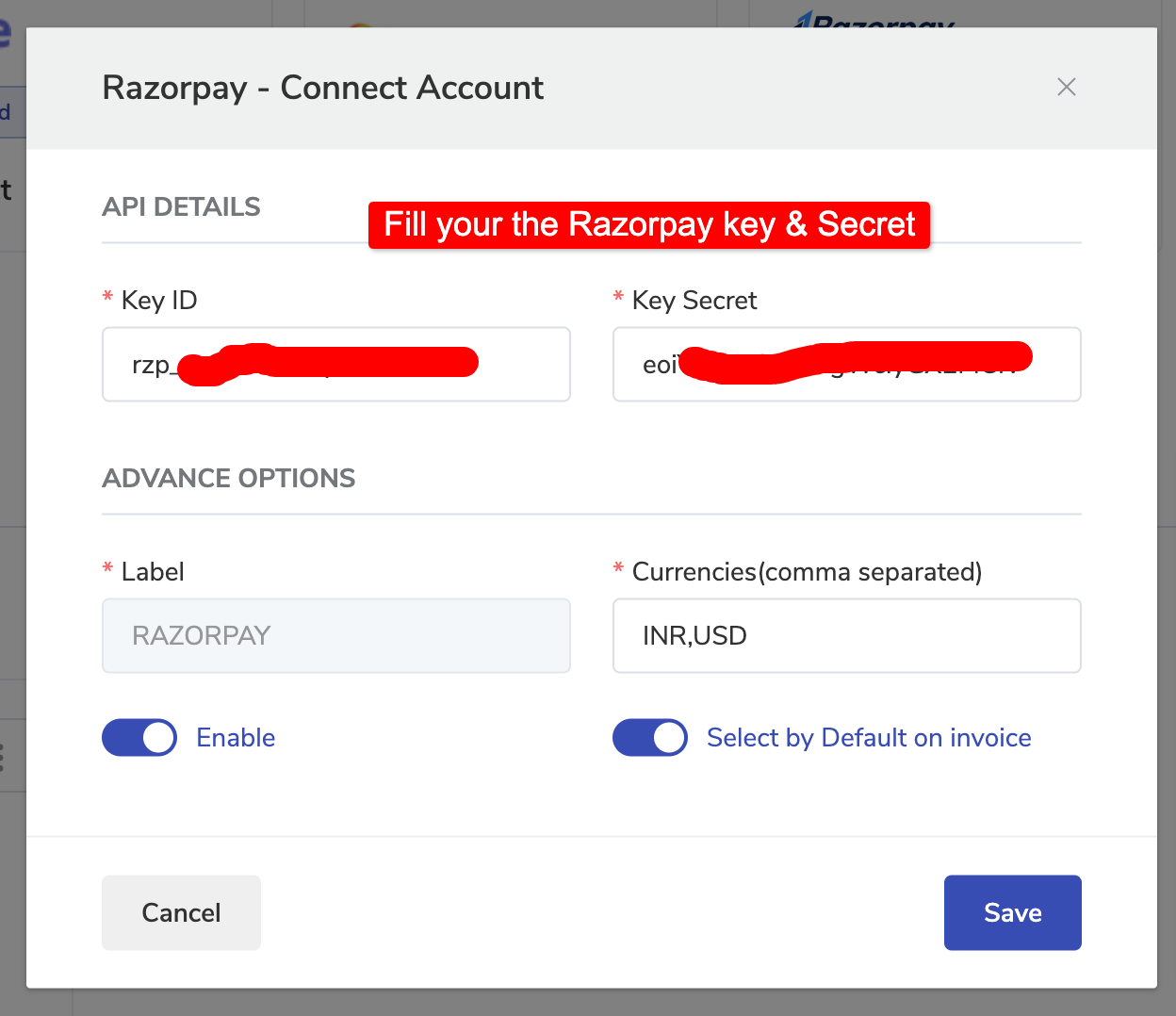
Add your Razorpay Key & Secret
Enable it by turning on the enable toggle.
If Razorpay is your Primary Payment gateway then you can turn on toggle "select by default on Invoice".
Save all the Razorpay settings.
Now you will see Razorpay as available payment method in Invoice.
Choose it and allow your clients to make payments using Razorpay.