How to enroll new leads into an existing email sequence
If you have an existing sequence running in Synup OS, you can easily enroll new leads into the sequence without having to create or copy the sequence from scratch. Let us show you how.
Step 1: Navigate to Sequences
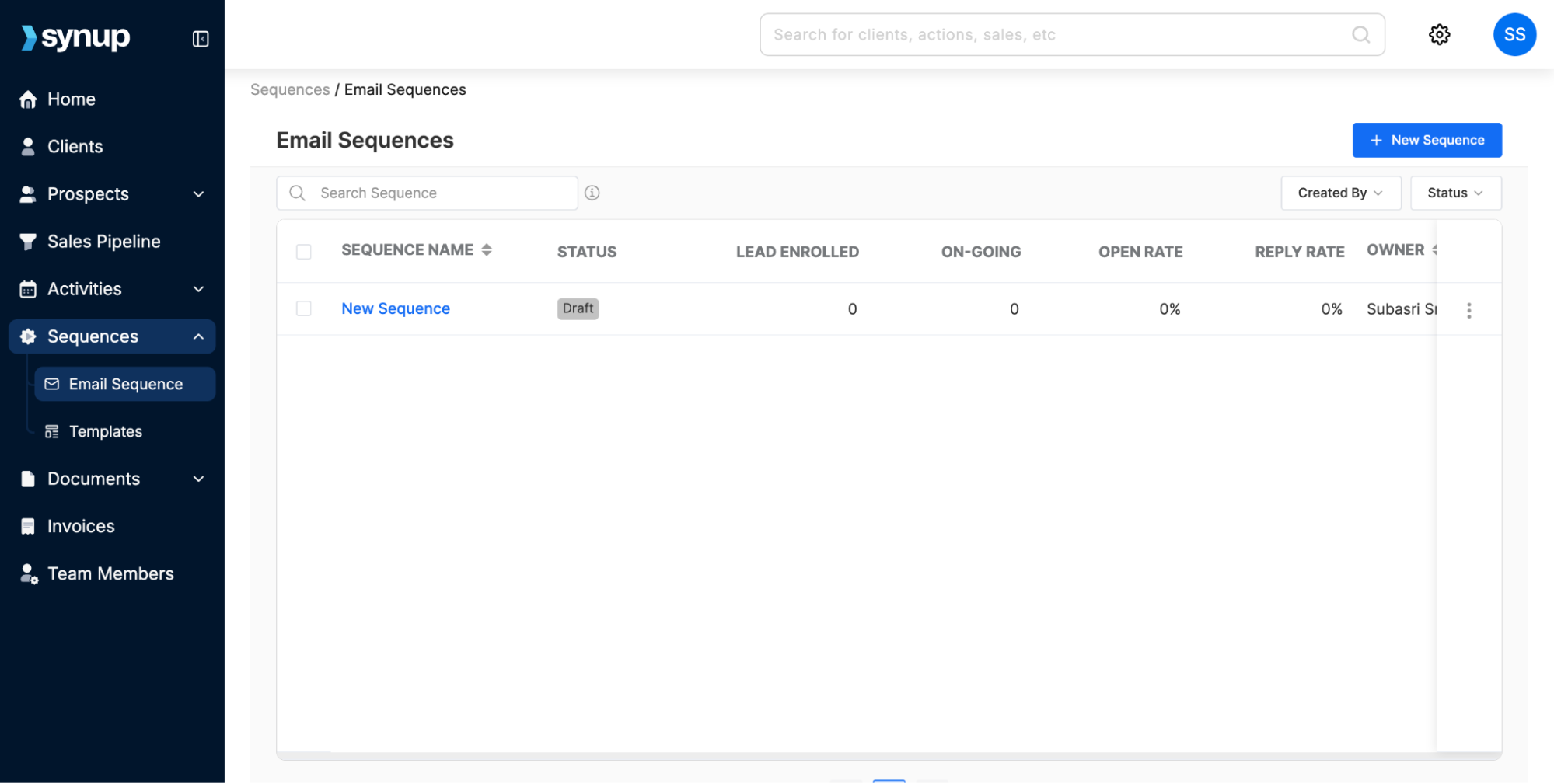
From the left-hand menu, click on Sequences > Email Sequences.
This will take you to the Email Sequences dashboard, where you can view all your existing sequences or create a new one.
Step 2: Enroll Leads to a Sequence
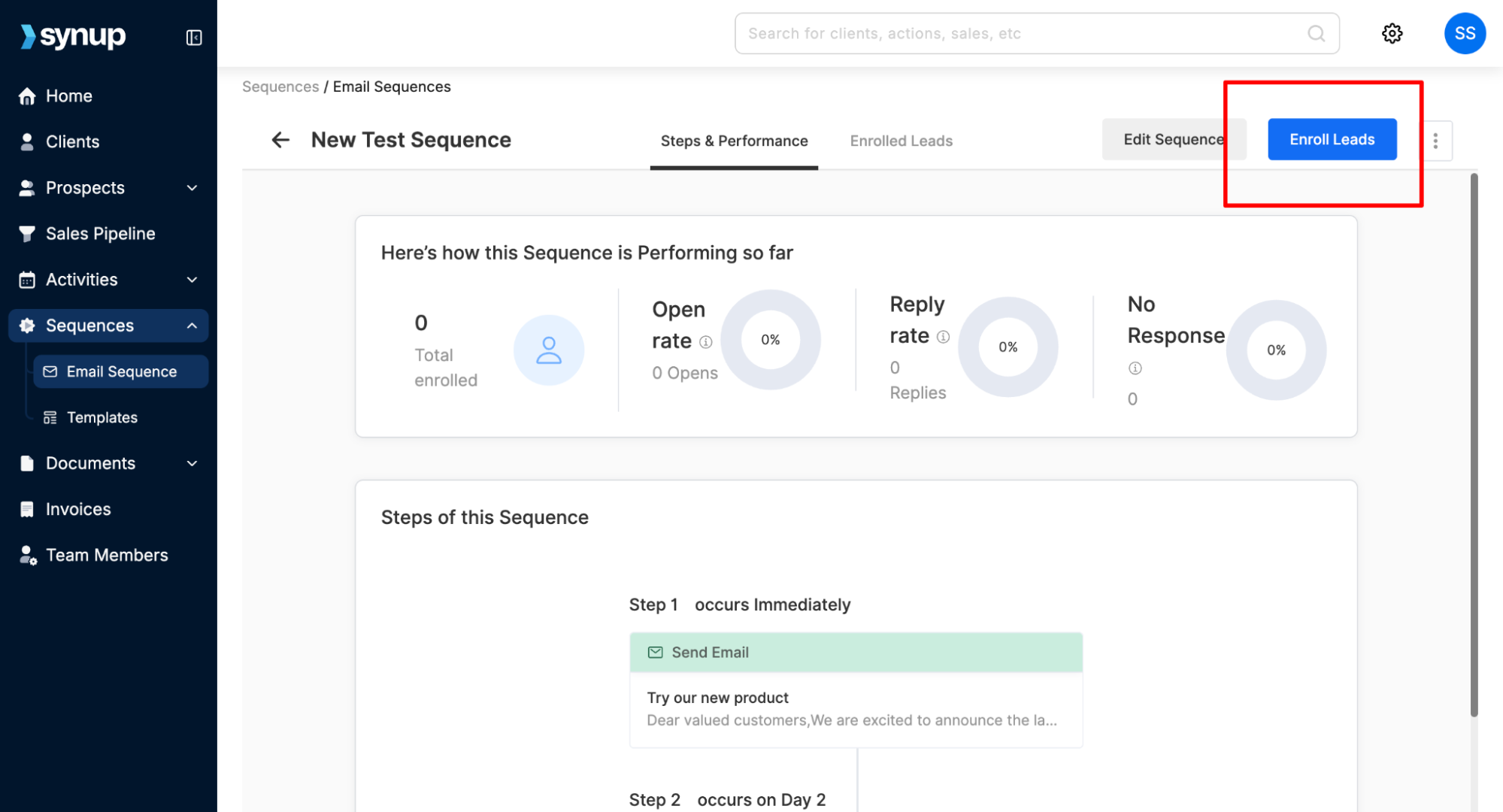
Click on any running sequence where you want to enroll new leads.
It will open up all details & performance metrics of the sequence. Click Enroll Leads on top right corner.
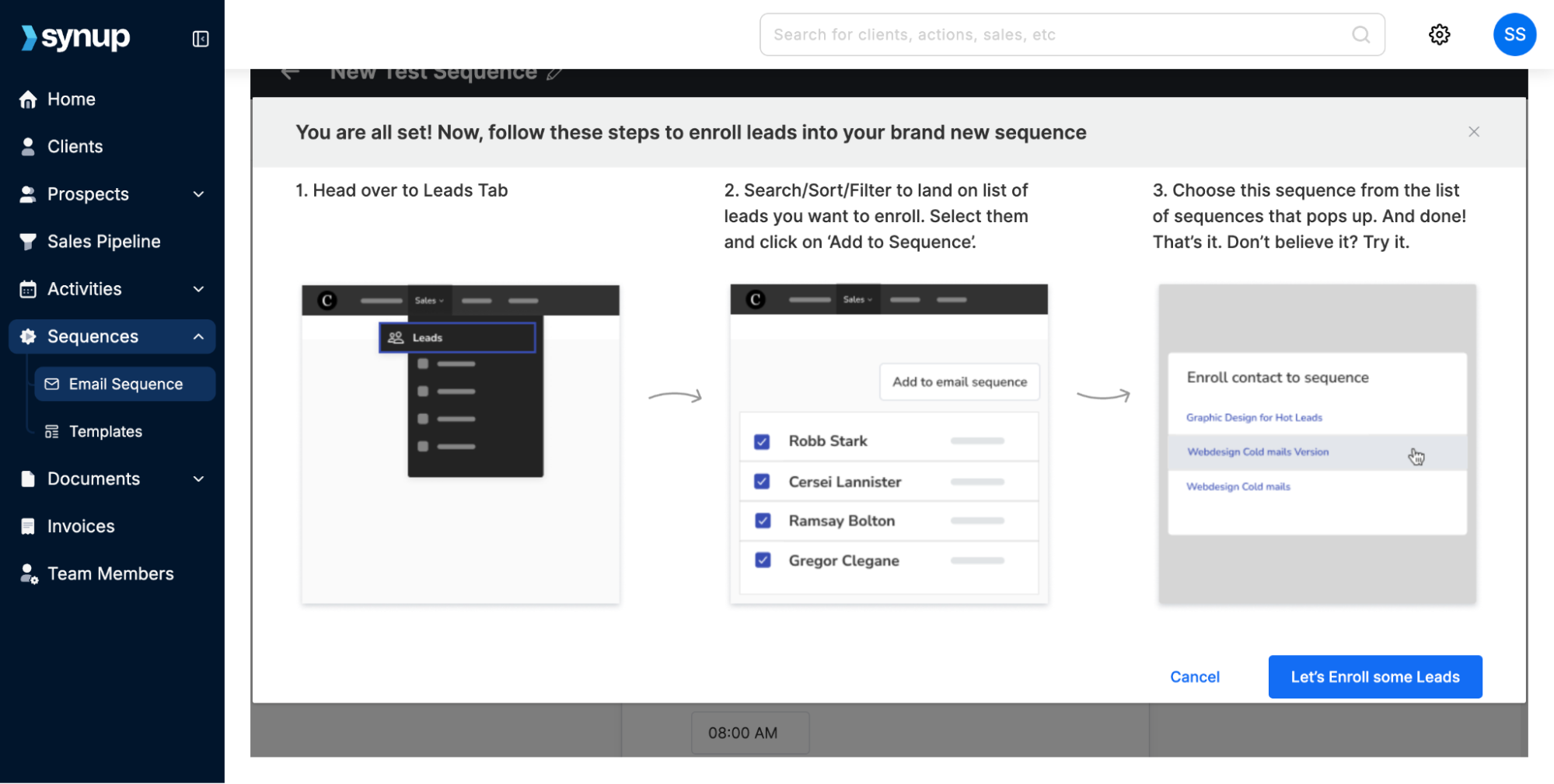
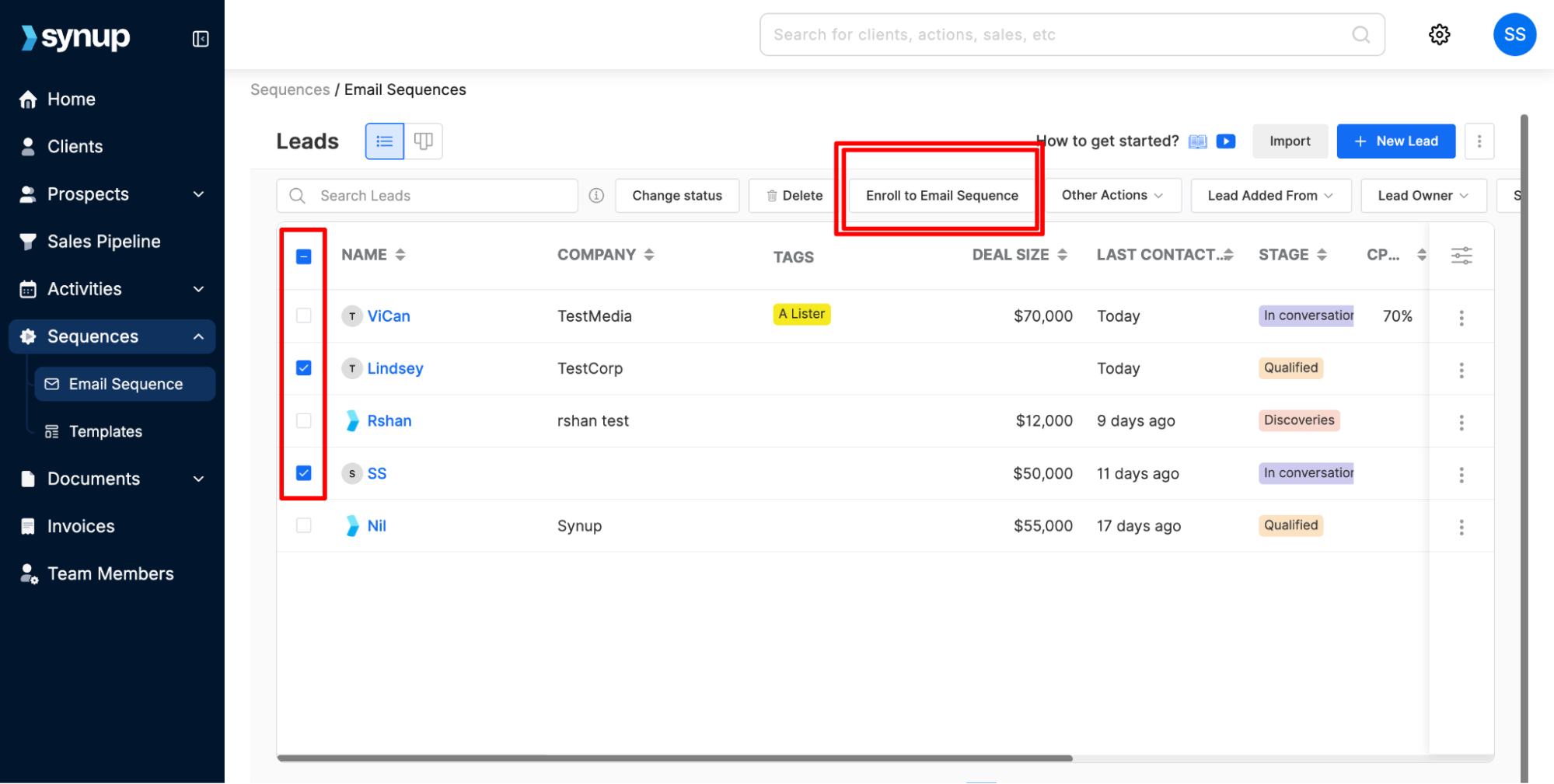
From the leads you add to your sales pipeline, you can select the contacts you want to enroll in this sequence.
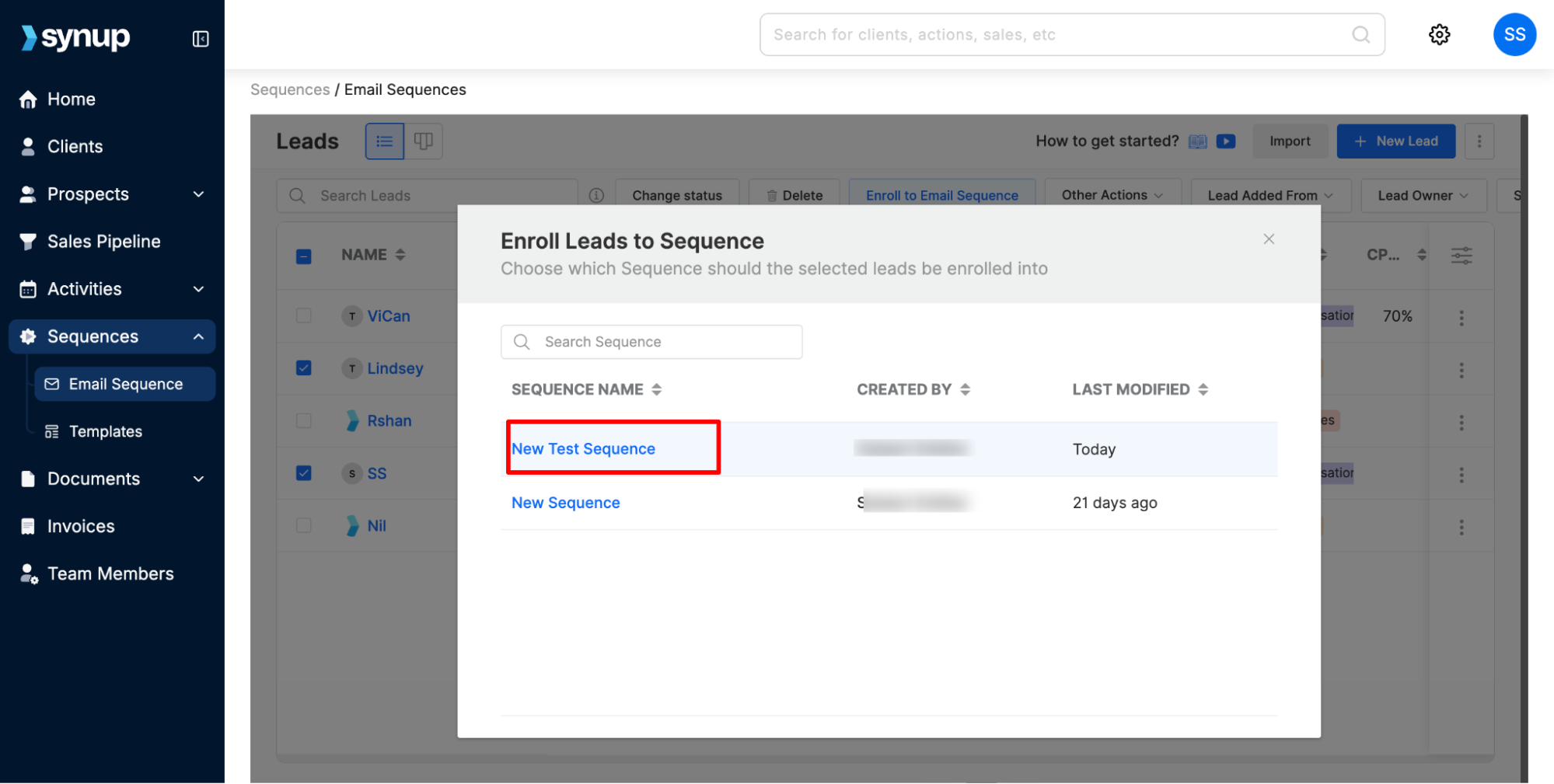
Click Enroll to Email Sequence and choose the one you created.
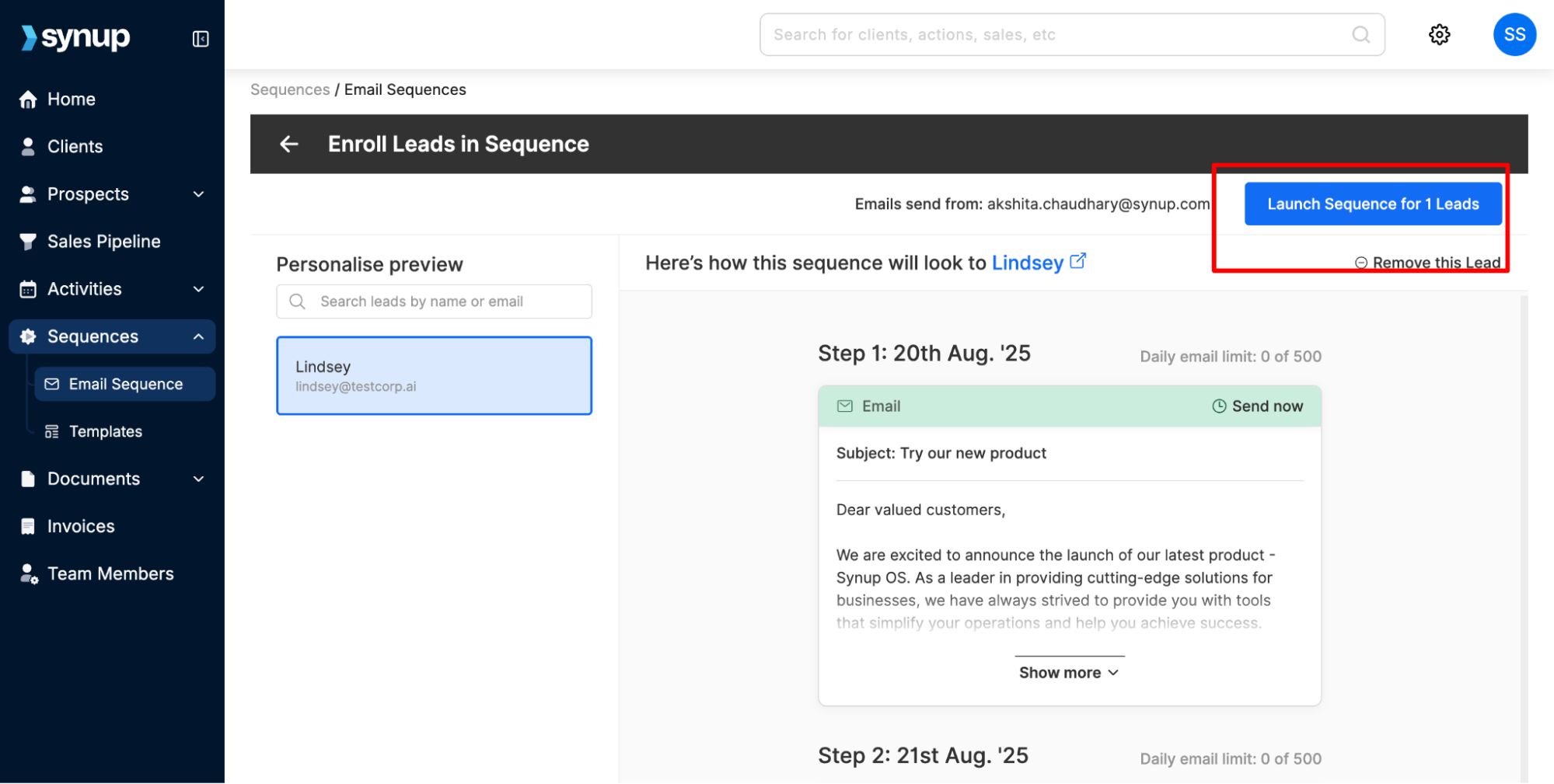
Click launch if you’re ready to launch the sequence for the leads you added.
Note: Enrolling new leads does not affect the sequence for your existing leads, so you can safely launch the sequence again.
How to enroll leads into a new or running email sequence
Last updated April 29, 2026 · 1 min read
Was this article helpful?