How to search for prospects manually & using Leads AI
Finding and adding new prospects is simple with Synup OS. You can either search manually or let our smart AI automatically suggest qualified prospects for you based on simple prompts. This article explains both methods.
Method 1: Manual Prospect Search
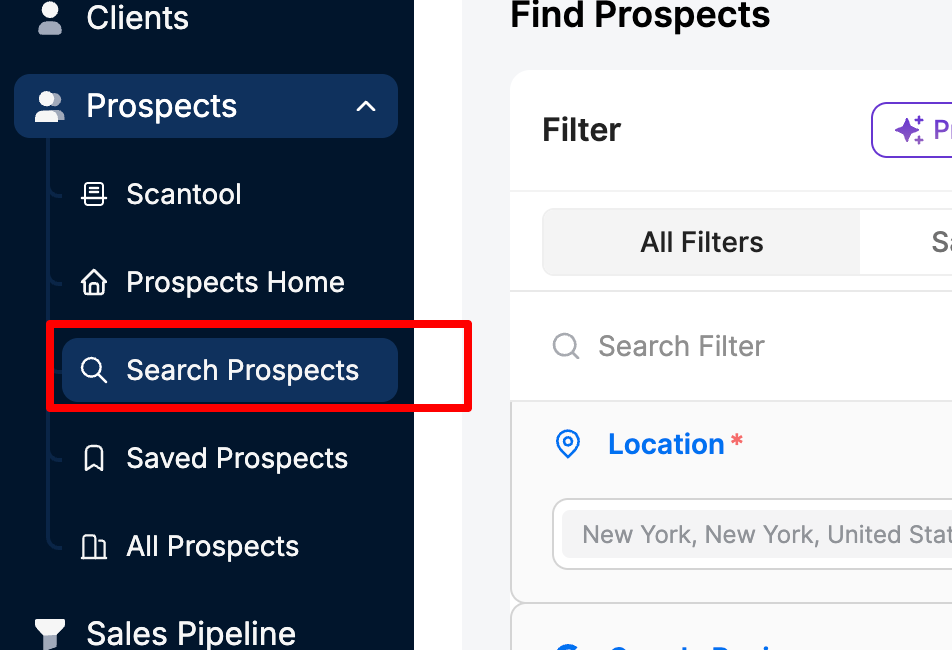
In the Prospects workspace, click on Search Prospects from the left-side menu.
Start a Manual Search
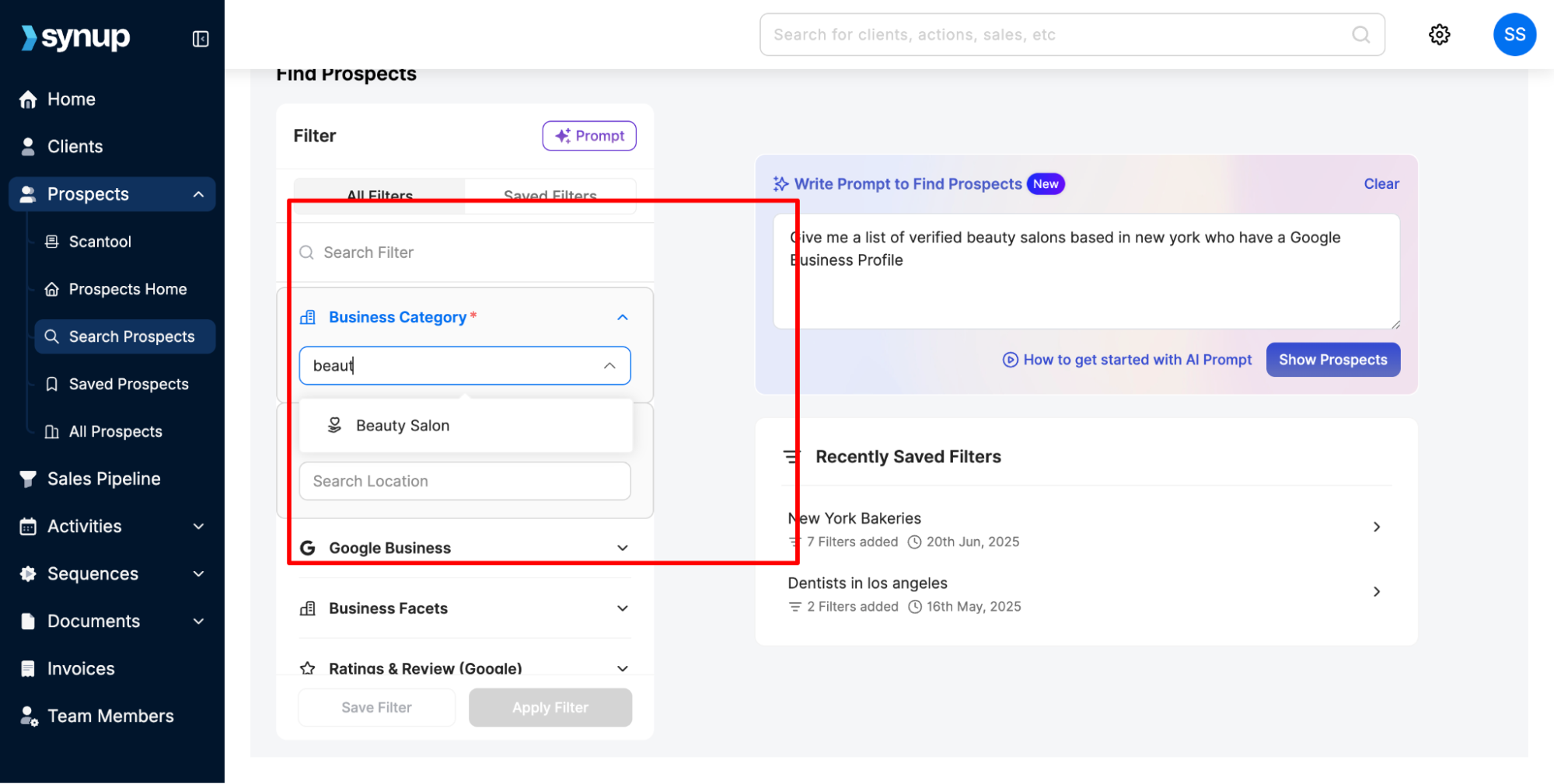
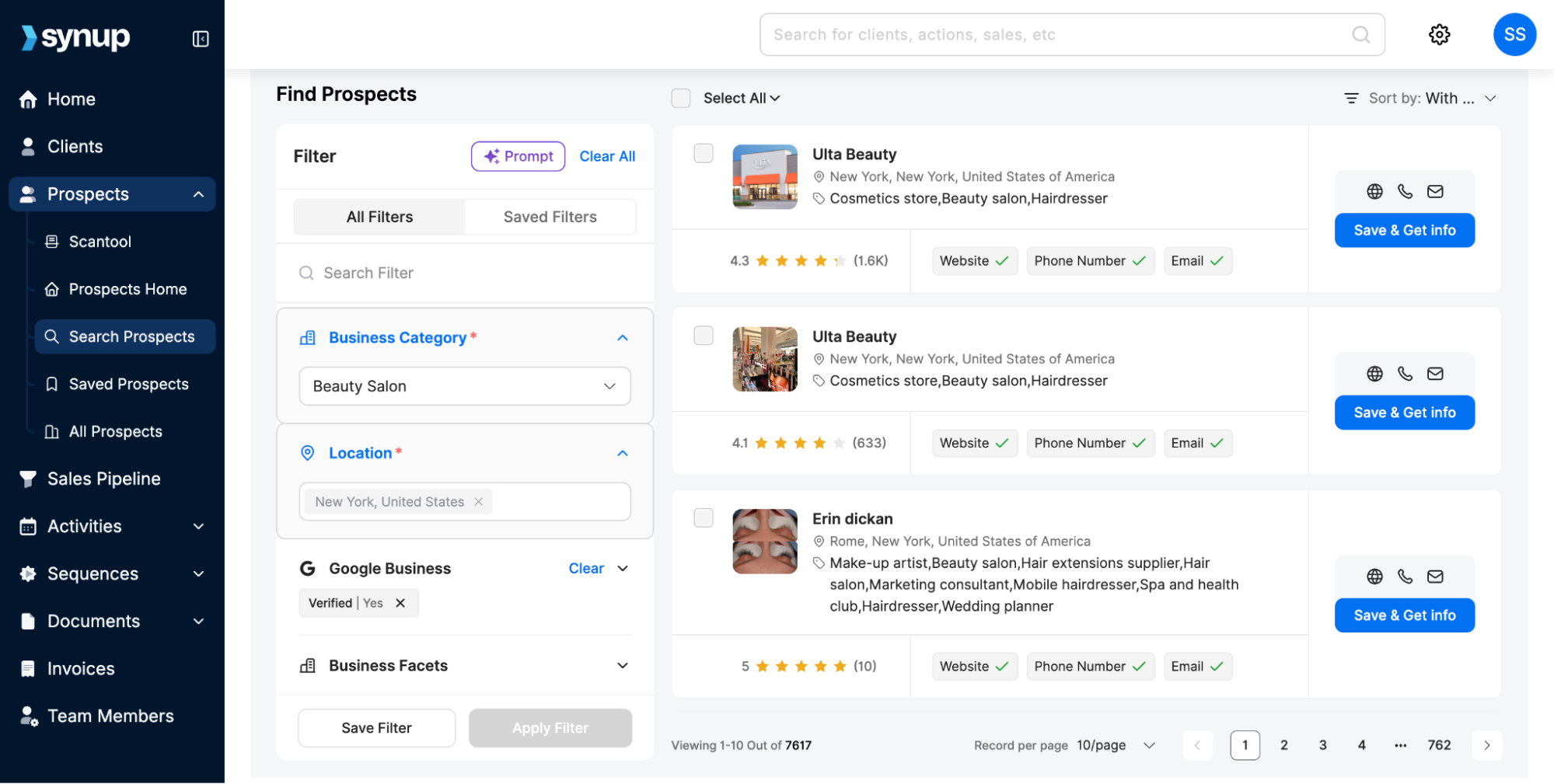
You’ll see a blank screen with advanced filters in the left side panel that you can use to find prospects.
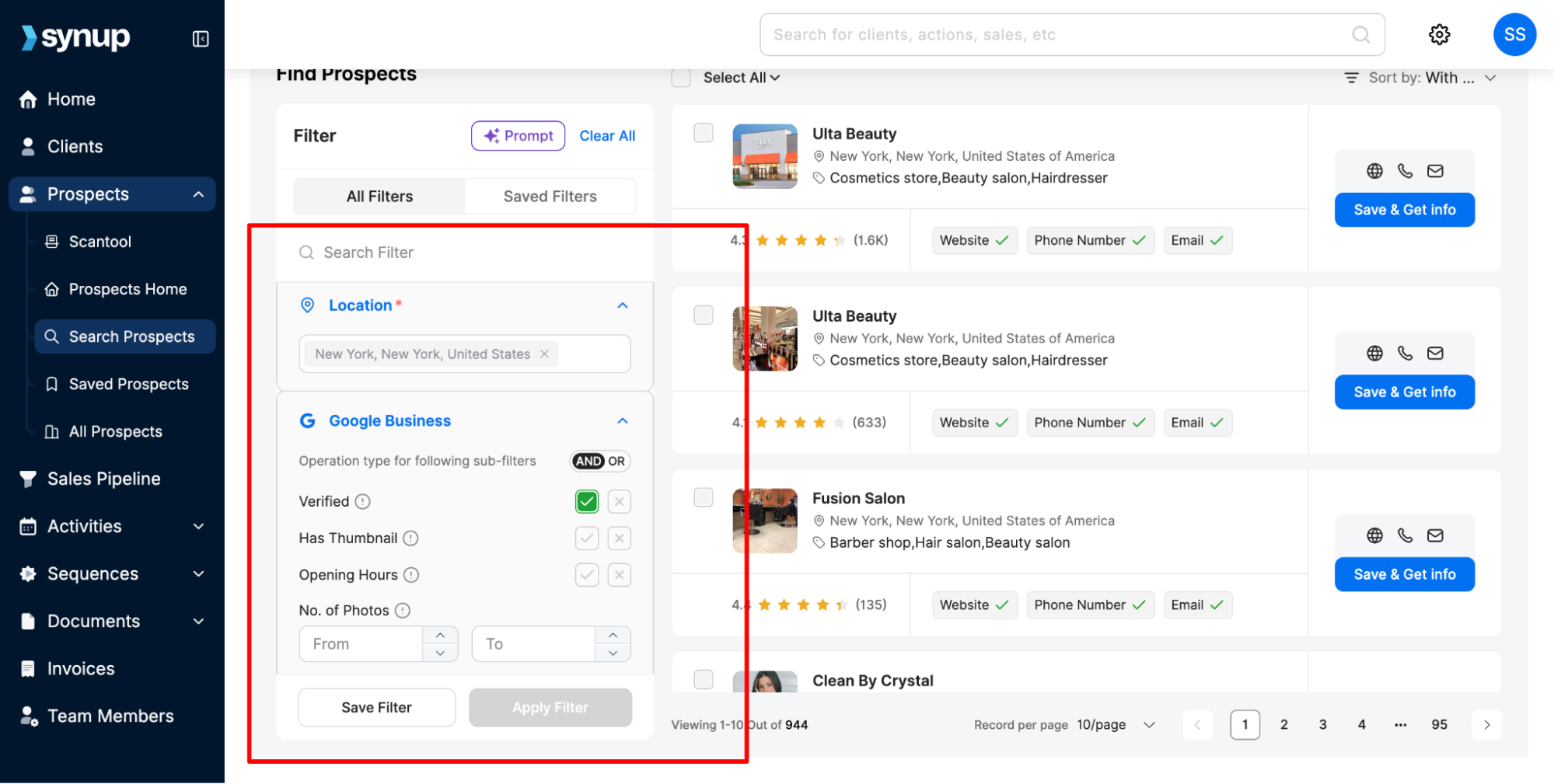
Enter your target prospect’s business category, location, and other filtering criteria like Google Business Profile presence.
Press Apply Filter at the bottom to find prospects.
Learn More: How do filters work in Prospect Search
Review Results
Matching businesses will appear in a list view.
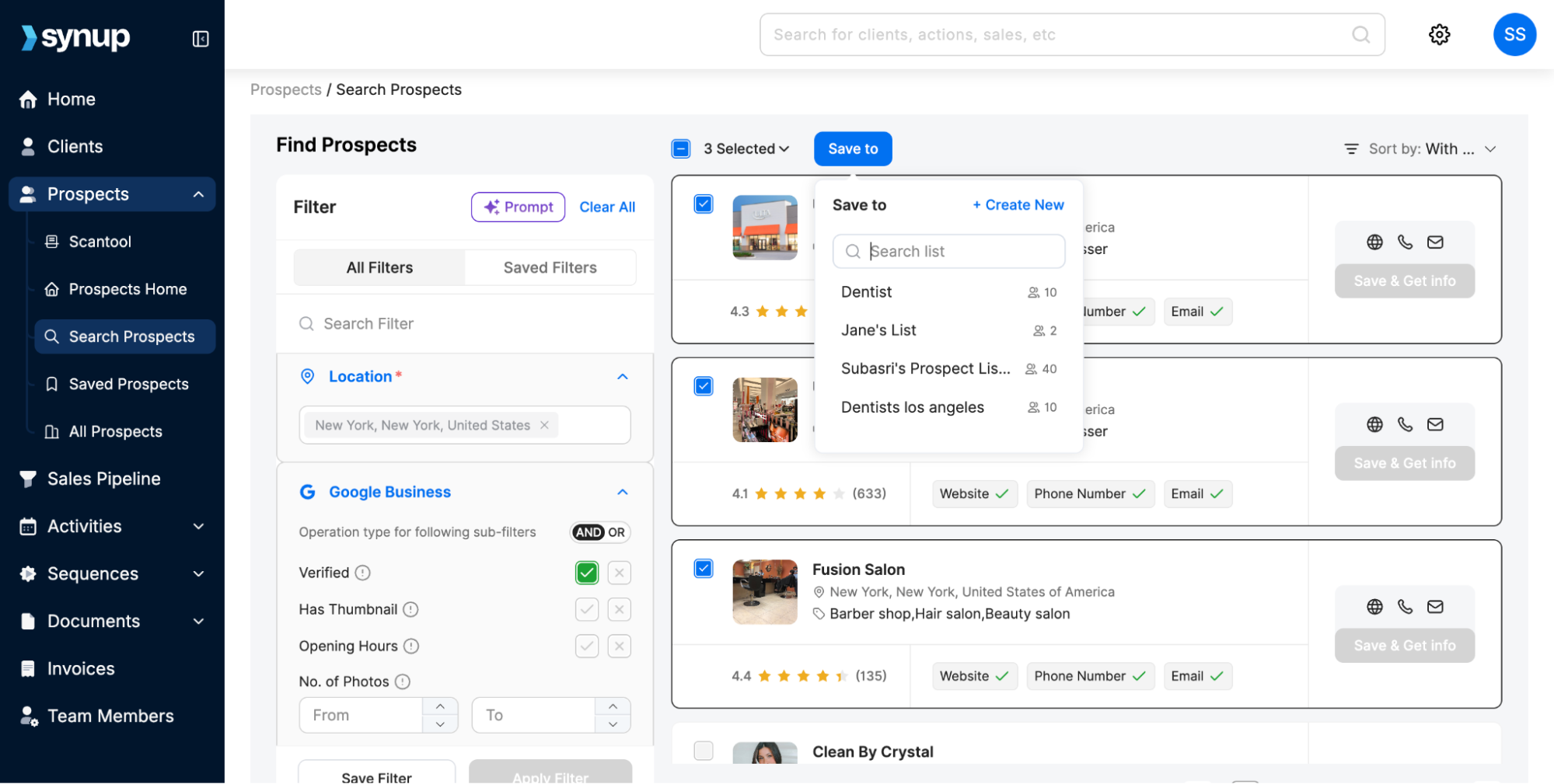
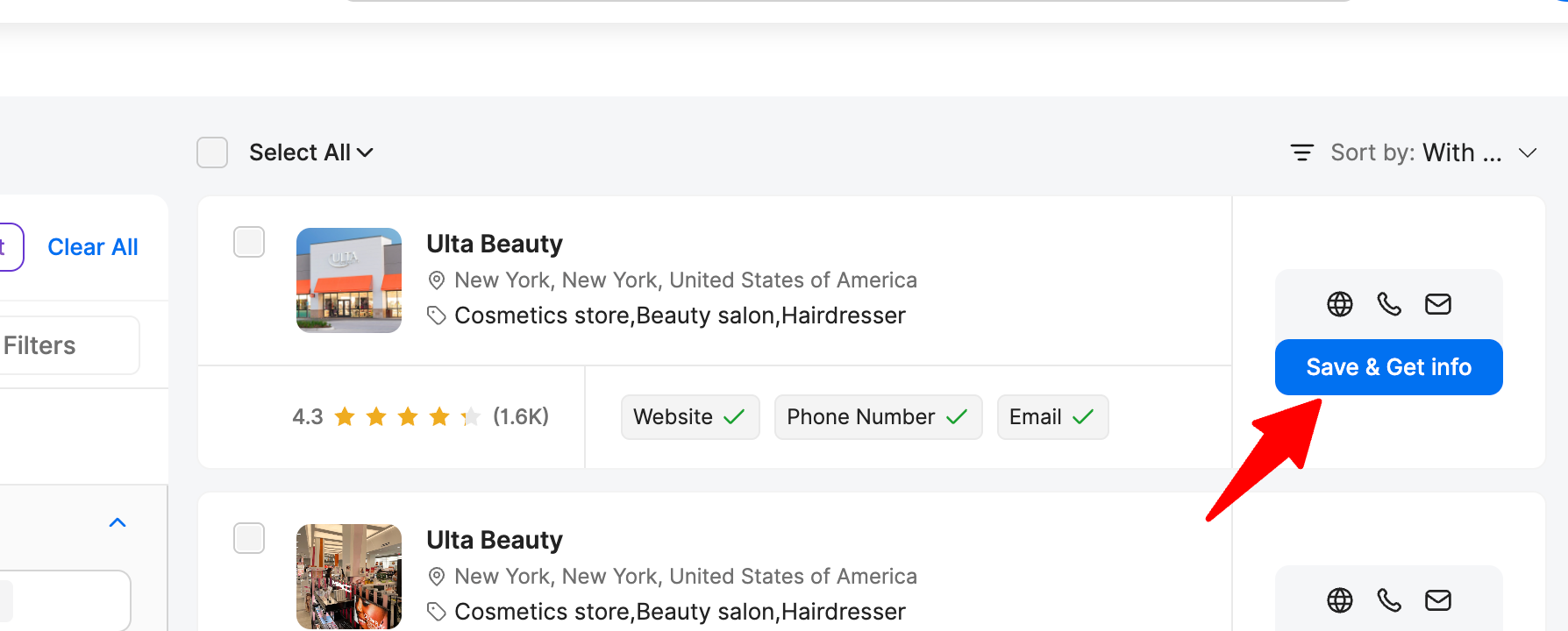
Click on a business name to save the prospect to a list and view contact data. You can also select and save multiple businesses at once.
Note: You cannot see contact or business details of the prospects without saving them to a list first. Prospect credits get utilized for every contact you add to a list. That’s why it’s important to carefully filter and review the businesses you want to add to a saved list.
Learn More: Saved Lists for Prospect Search
Method 2: AI Prospect Search
Go to Search Prospects
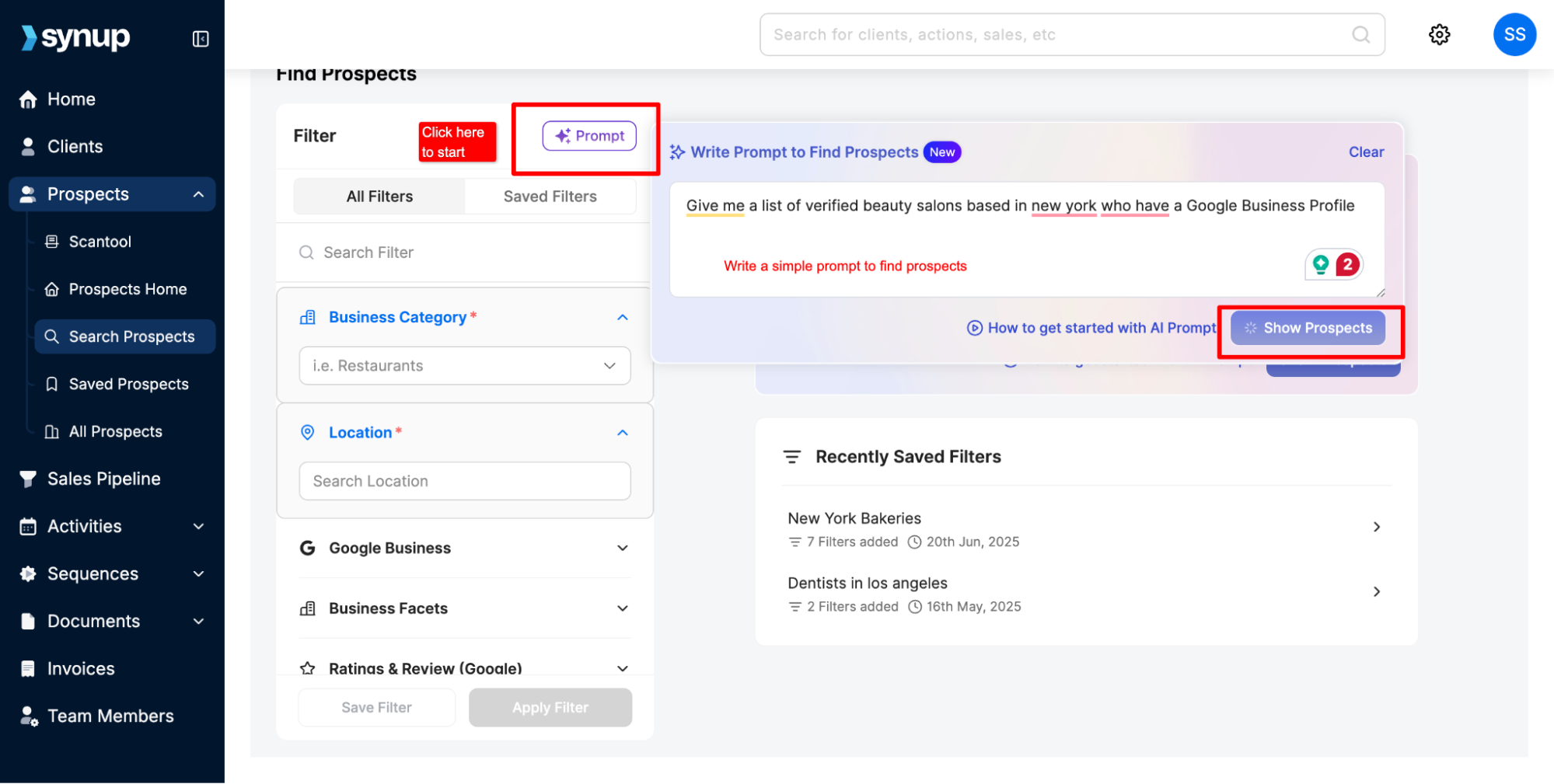
You can either click the Prompt button on top of the filter pane. Or you’ll see the prompt box directly in the prospect tab on right hand side.
Give a simple prompt to the AI by specifying the business category, location, and any other filtering criteria for your target list.
Generate Leads
Click Show Prospects.
Leads AI will scan and generate a list of prospects in the chosen location.
Review & Save
Browse through the AI-suggested list. You can also add and apply additional filters from the left-side filter pane. This helps you fine-tune the search.
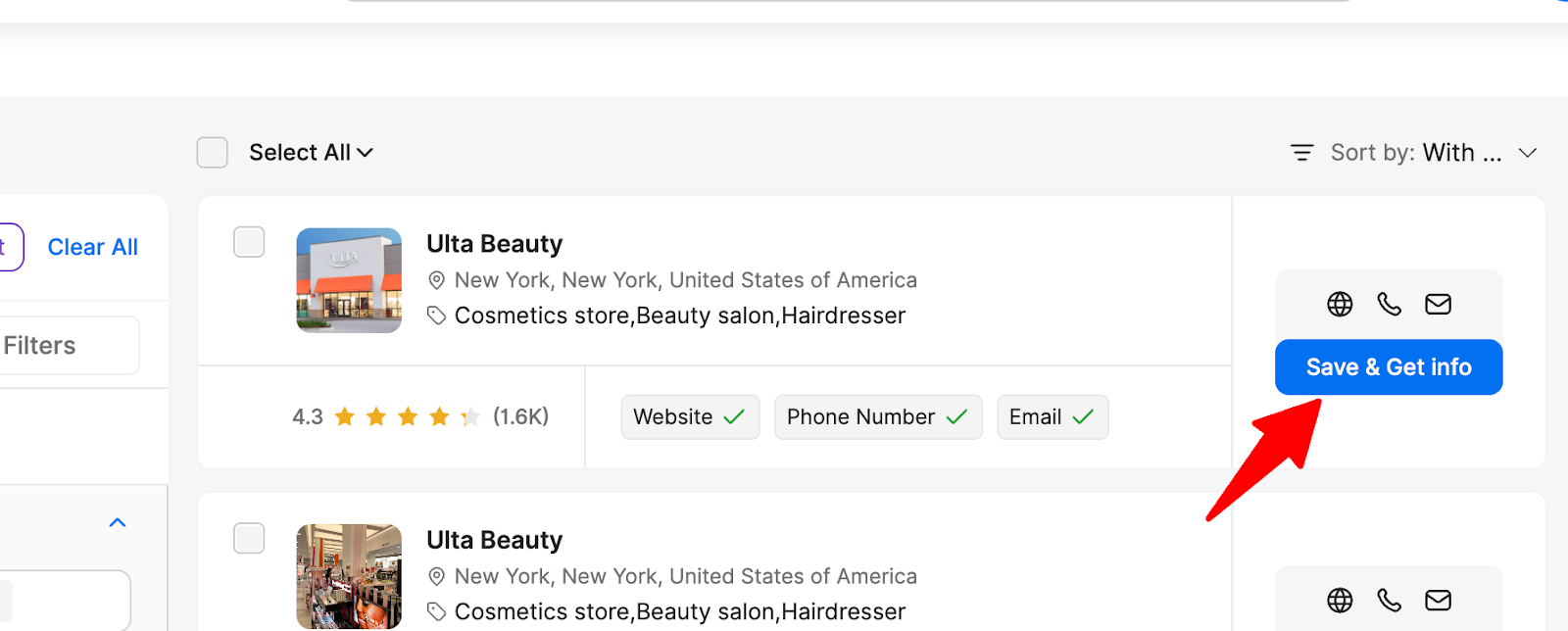
Click Save & Get Info to get contact details of a specific business. You can also select multiple businesses, save them to a list, and then export their contact details.
Tips
Use Manual Search when you already know specific businesses you want to target.
Use AI to discover new potential clients in your area or niche.
You can run multiple searches in different categories and locations to expand your pipeline.
How to search for prospects manually & using Leads AI
Last updated April 29, 2026 · 2 min read
Was this article helpful?