How to Assign Existing Media to Locations?
Access your Media Manager from the overhead navigation bar.
Assigning a Single Media Items to Locations
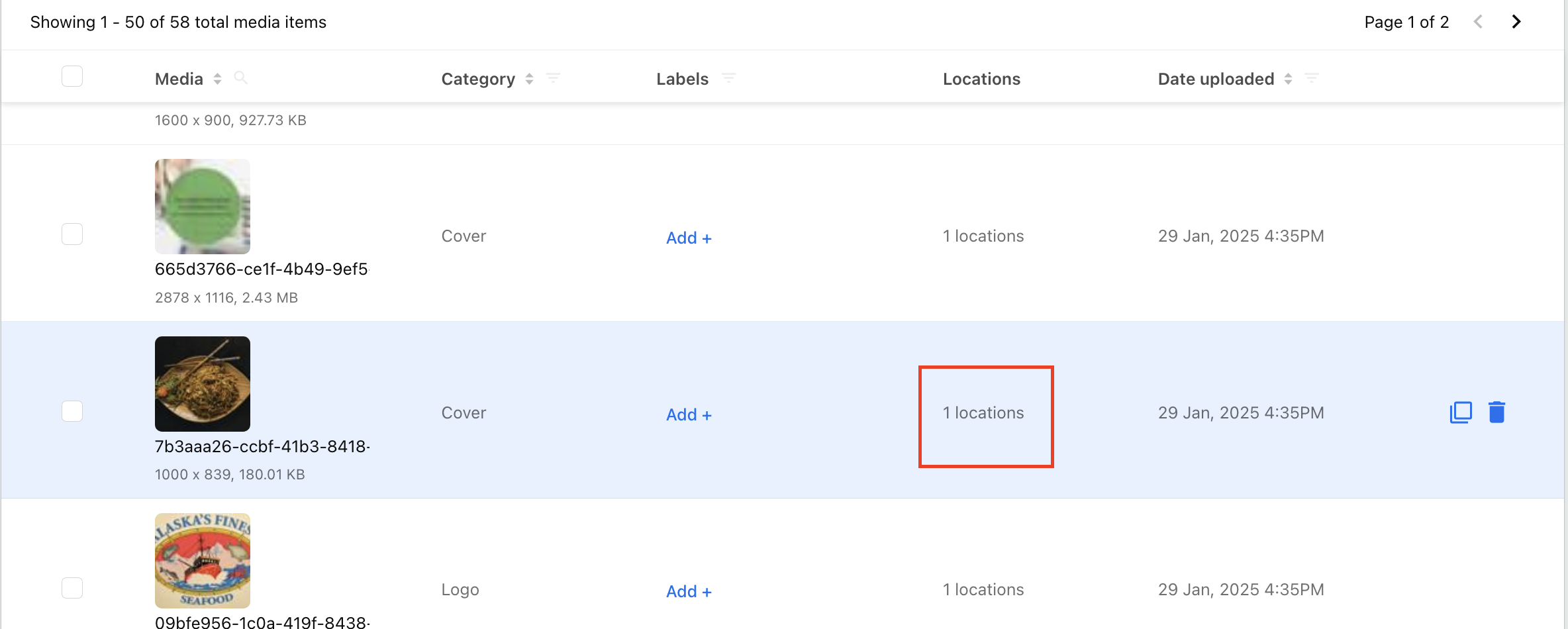
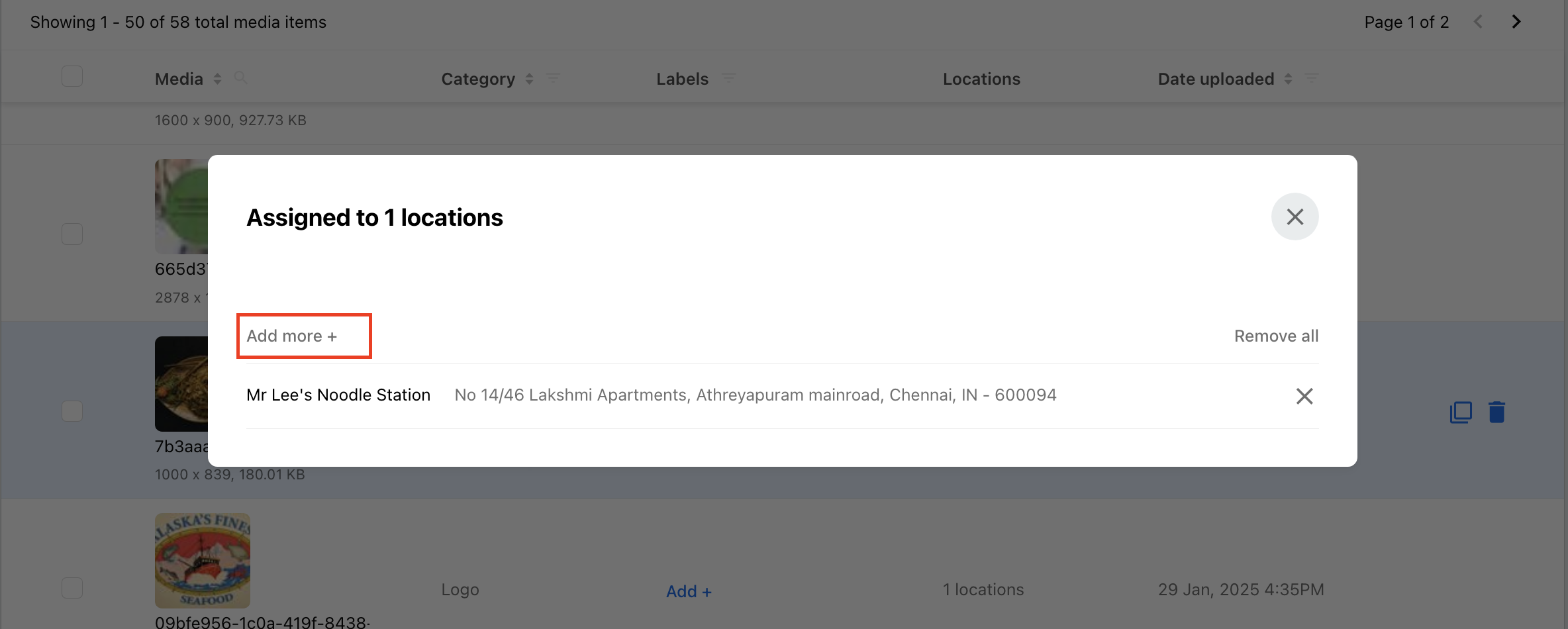
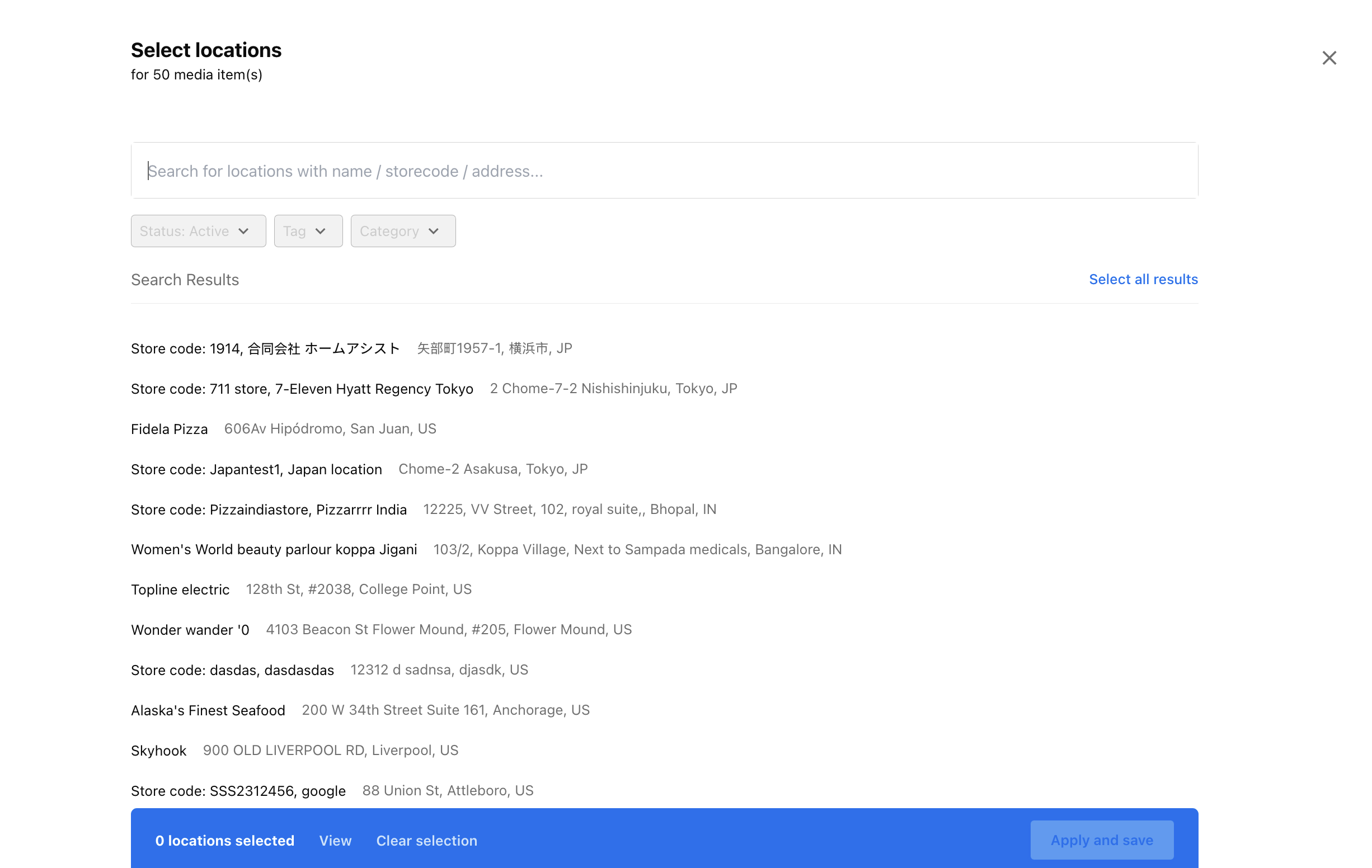
Choose a media item you want to assign to multiple locations and click the number of locations under the Location column. Choose the locations you want to add and click Apply and Save.
Assigning Multiple Media Items to Locations
Select multiple media items by selecting the checkboxes against the appropriate images/videos.
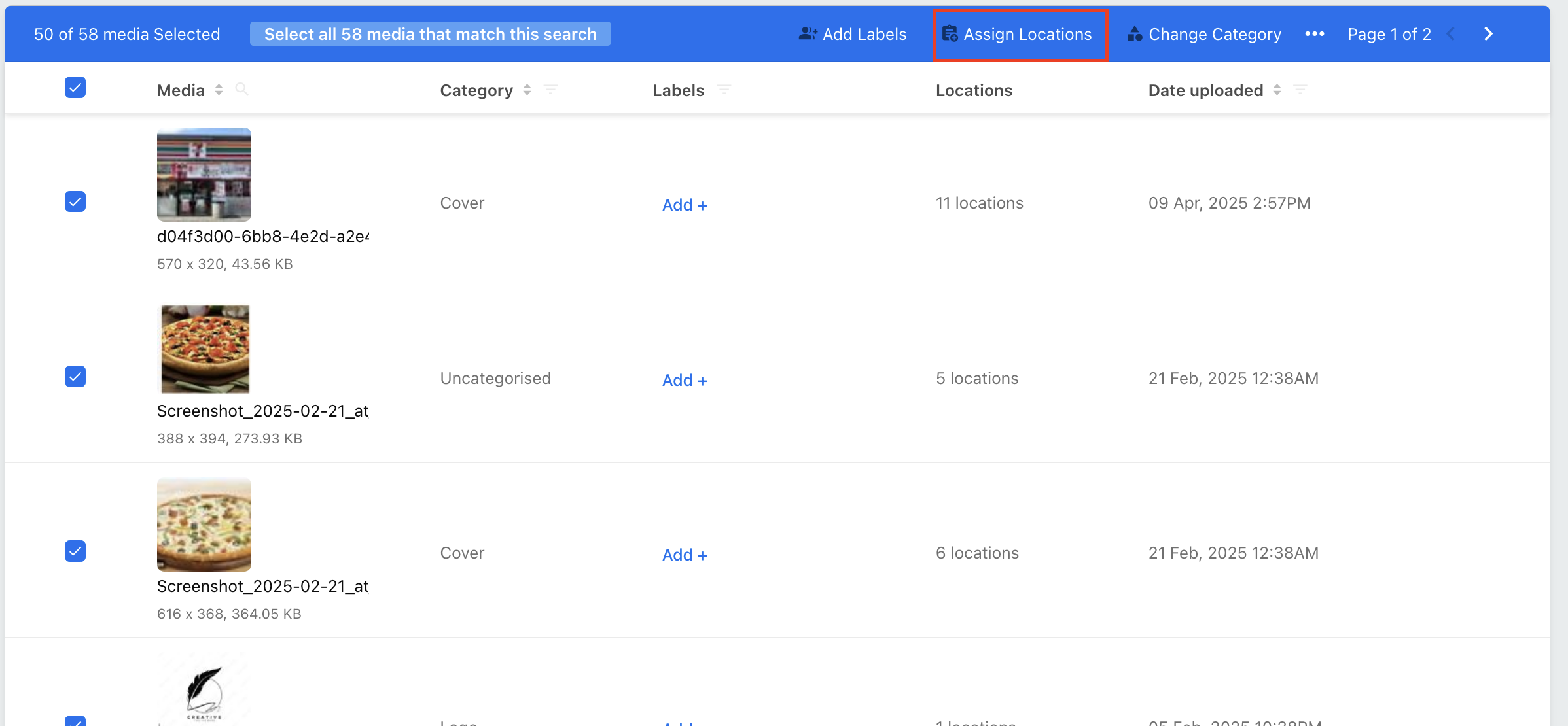
From the overhead action panel select Add Location. Choose the locations you want to add and click Apply and Save.