Media labels are tags you can use to optimize search for particular media items. These tags are especially useful when you want to quickly access media items to assign these to multiple locations.
For example, if you manage multiple brands you can add brand-specific tags to a media item. In this way every time you add a new location to your dashboard, you can search for media items by relevant brand tags and add these items to the appropriate location.
To add lables click +Add under the label column and type in the names for the image.
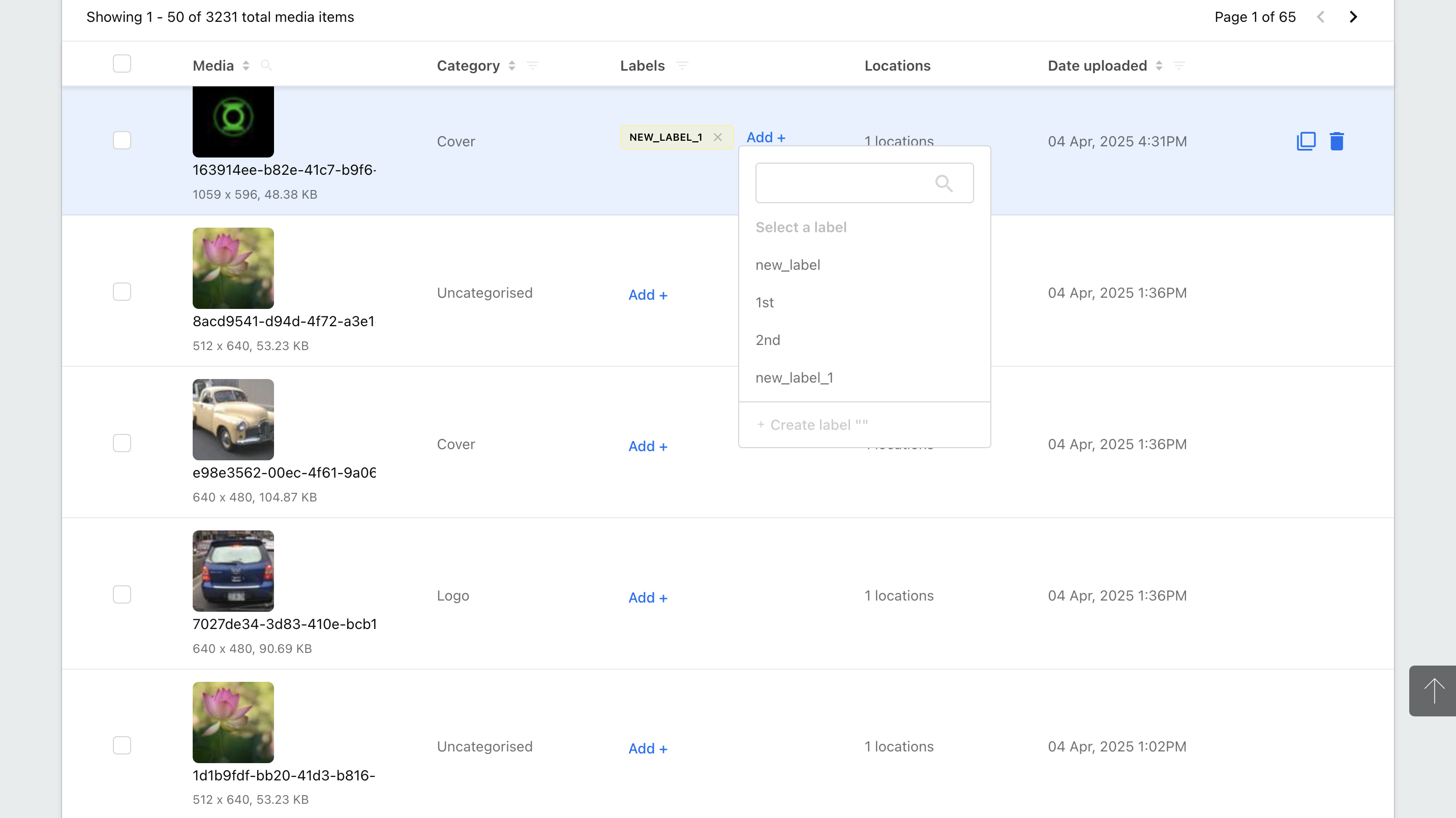
When adding media items to a business, there are multiple types of images you can add, for example- a business cover image, a profile image, a logo, a product highlight image, etc.
Media Categories are useful to organize all media items into specific categories that allow you to highlight different images on online listings.
You can also use media categories to edit media across locations. For example, in case of a rebranding effort, you can select a media category logo and edit an image for this category across multiple locations.
There are several types of photos you can add to your business listing. Here are the types of media categories currently supported:
Category | Description |
Unspecified | Unspecified category. This is a default category for all images that are not currently categorized. |
Cover | A cover image helps showcase your branding on Listings. The cover image you upload here may feature as your listing’s preferred photo on online Listings. Note: A location has only one cover photo. |
Profile | Profile photo.
Note: A location has only one profile photo. |
Logo | Logos are a great way to drive your branding and help customers recognize your brand on different listings. |
Exterior Photos | You can use this category for photos of your location’s storefront exterior.
Adding exterior photos can help your customers identify and navigate to your locations better by recognizing your business locations from its exteriors.
For example, you can add exterior photos to show: - different access routes to the entrance.
- the availability of enclosed parking for customers.
- popular adjacent landmarks. |
Interior | Interior photos help your customers perceive your business from its interior ambiance. |
Product | Adding product photos can help you highlight popular product offerings. |
At Work
| These help service-based bands highlight the type of work they do and the different types of special services they offer. |
Food and Drink
| These help you influence customer decisions by showcasing the food items that are most popular at your restaurant or cafe. |
Menu | Adding images of your restaurant’s menu can help you communicate the details of your food items that your establishment offers.
It also helps you highlight special offerings on your menu like gluten-free food, vegan food, or gourmet options for customers with food allergies. |
Common area | If your location has common areas like- spa, gym, or breakfast room, kids play area, etc, you can add photos of these to attract customers who are planning business or leisure travel. |
Rooms | If your location is a hotel/resort establishment you can add images to showcase all the different types of rooms that you offer to guests. |
Teams | These include photos showing your management team and your employees to present a more personal side of your establishment. |
Additional | Media that does not belong to any of the categories specified above. |