How to set up document reminders
You can set up automatic reminders for documents nearing their expiration date in Synup OS. This ensures you're notified in time to update important paperwork. Follow these simple steps.
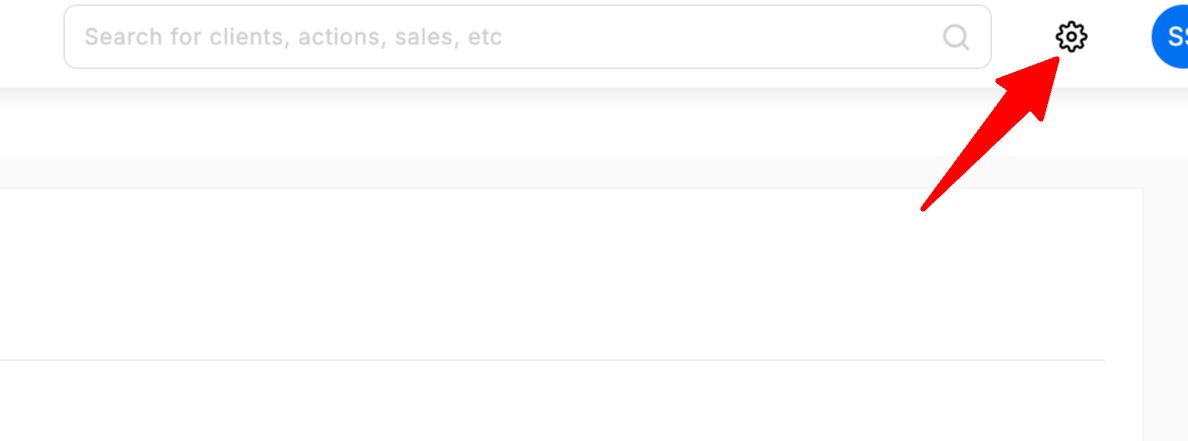
1. Navigate to Settings
First, click the Settings icon (⚙️) in the top-right corner of your dashboard.
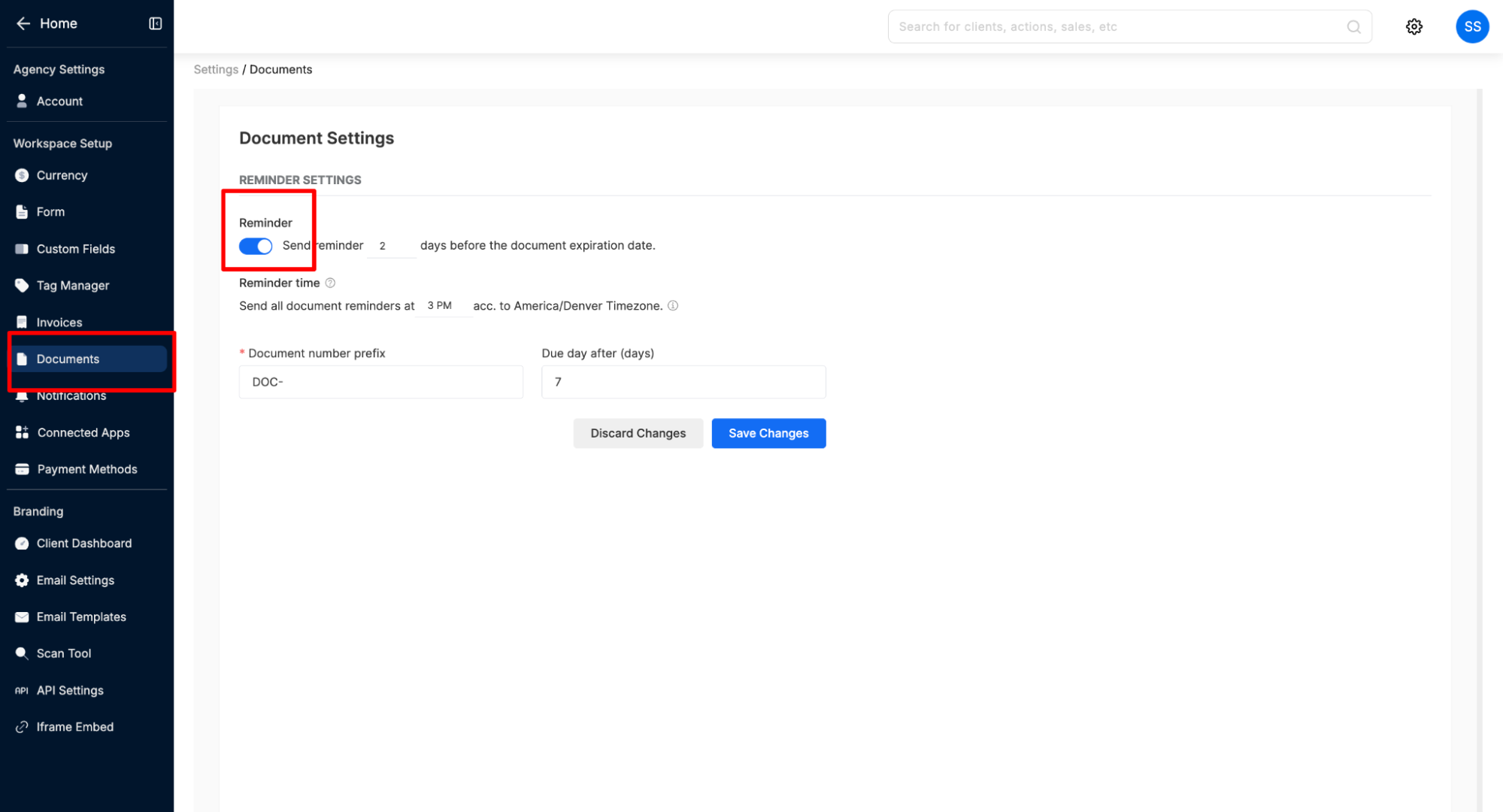
2. Go to Document Settings
From the menu on the left, select Documents.
3. Configure Reminder Settings
In the Reminder Settings section, toggle the "Send reminder" option on.
Set the reminder days: In the field next to the toggle, enter the number of days before the expiration date you want the reminder to be sent.
Set the reminder time: You can also specify the exact time of day you'd like to receive the reminder notification.
After configuring your preferences, click Save Changes to apply the new settings.
How to set up document reminders
Last updated April 29, 2026 · 1 min read
Was this article helpful?